
 866-589-5339





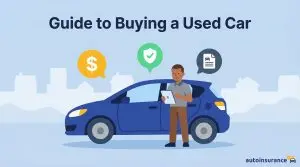
How to Buy a Used Car on Facebook Marketplace
Facebook Marketplace has no buyer protection for vehicles. Here’s how to make sure you know what you’re getting into.

Get quotes from providers in your area

Last updated: May 8, 2026
Facebook Marketplace has become a popular platform for used car sales, particularly for local, peer-to-peer transactions. Prices are a fraction of what you’d find at dealerships, but it’s also one of the easiest places to get burned.
Find out if you're overpaying for auto insurance.
See how much you could be saving! Let's get started by entering your ZIP Code:
DID YOU KNOW?
Younger Facebook users are more likely to shop on Facebook Marketplace. 23 percent of users between the ages of 18 and 34 use the platform daily.1
Before You Buy: What You Need to Know
Understand What You’re Working With
Before anything else, know what Facebook Marketplace actually is: a classifieds board. Facebook connects you with a seller and gets out of the way. There’s no buyer protection for vehicle purchases, no seller vetting, and no recourse built into the platform if things go wrong. Once you’ve connected with a seller, everything that follows — scheduling a meeting, inspecting the vehicle, arranging shipping if needed, and verifying that the car is what it claims to be — is entirely on you.
Legitimate private-party car sales happen all the time on Facebook Marketplace, but for the best results treat it like the unregulated space it is and take the proper measures to protect yourself.
IMPORTANT:
Vehicles are explicitly excluded from Facebook’s Purchase Protection policy. If the car turns out to be misrepresented or damaged, you have no claim through Facebook.
Decide What You Want
Before you start browsing, get clear on what you’re looking for and what it should cost. Facebook Marketplace only lists used vehicles; if you’re in the market for a new car, you’ll need to go through a dealership.
What’s your budget?
When setting your budget, account for more than just the purchase price. Factor in registration fees, insurance, taxes, and a buffer for potential repairs.
What kind of vehicle are you looking for?
Research the makes and models you’re considering before you start scrolling. Look into common mechanical issues, reliability, and typical ownership costs. The more you know about a vehicle going in, the better equipped you’ll be. You’ll know what questions to ask the seller and what red flags to watch out for.
What are your state’s requirements?
Look up your state’s specific guidelines for buying and registering a used car from a private seller. Does your state require a bill of sale? Does it mandate an emissions or safety inspection before you can register the vehicle? Also look up title transfer deadlines and how sales tax is handled for private-party transactions.
Find a Car
Once you know what you’re looking for, it’s time to start shopping. As you browse, use Kelley Blue Book or Edmunds to check whether a listing is priced fairly for that specific year, trim, mileage, and condition.2 Facebook Marketplace lets you filter listings by:
- Owner
- Price Range
- Vehicle Type: There are many types of vehicles available for purchase on Facebook Marketplace, including cars, trucks, motorcycles, and RVs.
- Year, Make, Model, Color, and Body style
- Mileage
- Transmission type (automatic or manual)
- Vehicle history: Some listings include a free CARFAX report or service record. Sellers can also self-report the vehicle’s history, previous owners, and whether the car was used for personal or commercial purposes.
Do Your Due Diligence
Before you purchase a car on Facebook Marketplace, it’s essential to ask the seller for the following information:
Vehicle Identification Number (VIN): Ask for the VIN early. A legitimate seller will share it without hesitation. Once you have it, run it through the National Highway Traffic Safety Administration’s website to check the vehicle’s history and any open car recalls.3 For added security, you can run a CARFAX report for a full accident and title history for about $40.
Maintenance: What maintenance has been done on the car and when? Request service records if the seller has them. Then schedule a pre-purchase inspection with an independent mechanic to see if the vehicle needs repairs and, if so, how much they’ll cost. A professional inspection typically costs between $100 and $200 and can reveal issues that you may not be able to catch on your own.
How long has the car been listed: Check the date the seller originally posted the listing. Cars that have been sitting longer give you more room to negotiate.
Previous owners: Find out how many people owned the car previously and what they used it for (personal use, commercial use, rideshare). This will clue you into the car’s wear and tear, which you can cross-reference with maintenance records.
Mileage: A car with more miles may need more maintenance, so confirm its condition before you purchase an older vehicle.
PRO TIP:
You can also run the VIN through NMVTIS (National Motor Vehicle Title Information System). Federal law mandates all states, insurers, and salvage yards to report to this database, making it a reliable tool for spotting mileage inconsistencies, theft records, and identifying whether a car’s been salvaged, flood damaged, or cloned. You can search this database for about $10 through an authorized site.
Check Reviews
Facebook allows you to see the seller’s commerce profile and ratings, which you should review before reaching out. It’s best to buy from experienced sellers with good ratings.
Seller Green Flags
These are some signs you’re dealing with a legitimate seller:
- The price is fairly in line with market value for that year, mileage, and condition.
- Photos are clearly taken by the seller, with multiple angles and real locations. Nothing stock-like or overly polished.
- The description is specific and honest, stating known issues.
- The seller shares the VIN without hesitation.
- The seller’s Facebook profile has years of activity, real connections, and reviews.
- The seller is willing to meet in person and agrees to a pre-purchase inspection.
- The seller is happy to communicate through Facebook’s messaging platform.
- The seller can provide documentation, like registration, a title in their name, and maintenance records.
Seller Red Flags
Look out for these scam warning signs4:
- The listing is too good to be true, with unbelievably low prices.
- The same vehicle is listed in multiple locations throughout many states.
- The seller claims they will use eBay’s Vehicle Purchase Protection, which is available only for purchases from eBay.
- The seller asks you for a deposit to “hold” the car.
- The seller claims that Facebook, PayPal, or another company is holding your payment in “escrow.” They may even offer fake emails or documents as “proof.” Facebook does not offer an escrow service.
- The seller refuses to communicate through Facebook Messenger.
- The seller refuses to meet you in person or let you see the car in person before you buy it.
- The seller wants you to complete the purchase through another website.
- The seller wants you to pay using a gift card, wire transfer, QR code, or cryptocurrency.
- You’ve googled the seller’s email address, and it has been cited in cases of insurance fraud.
- The seller’s profile was recently created.
- The background of the vehicle photograph is inconsistent with the details you received or otherwise looks fake/photoshopped.
- The seller asks for private information, like your social security number or a Google/bank verification passcode.
- The seller pressures you to decide quickly, claiming another buyer is about to make an offer.
- The seller has an emotional urgency story, like military deployment, sudden move, divorce, or death in the family. These are common scam setups designed to rush your judgment.
Test Drive the Car
Ideally, schedule the test drive during the daytime in good weather so you can see the car clearly. Meet in a public place and consider bringing a friend or family member with you for safety. Part of the test drive is simply seeing if you like the car, but it’s also your opportunity to catch any problems before you commit, so go through the following checklist:
- Examine the interior carefully for any signs of damage, wear, or water damage. Don’t forget the trunk.
- Check for moisture or rust.
- A musty smell anywhere in the cabin is an indicator of water damage.
- Inspect under the hood for any leaks, cracks, rust, smoke, or burning smells.
- Check the vehicle’s frame, bodywork and tires for signs of wear or damage.
- Check the AC, heat, every power feature, and every screen.
- Test the car at both city speeds and highway speeds.
- Listen for clunks, rattles, or whines.
- Brake firmly and feel for any pulling or shuddering.
- Make sure no warning lights are on.
Keep in mind that a test drive can only tell you so much. A professional pre-purchase inspection from a mechanic is the only way to know what you’re really buying.
Negotiate the Price
One of the biggest advantages of buying from a private seller on Facebook Marketplace is you’ll have more leverage for negotiating than you’d have at a dealership. The best strategy is to come in with a fair, data-backed offer, so come prepared with:
- Kelley Blue Book and Edmunds’s value for that exact car (year, trim, mileage, condition).
- The mechanic’s repair estimates, if any issues were found.
- Knowledge of how long the listing has been up. Older listings can indicate a more motivated seller.
Also, ask the seller about the original vehicle equipment. Common examples include a spare tire and jack, second key or key fob, owner’s manual, and charging cables for EVs. If anything is missing, you can ask for a reduced price.
Check the Paperwork
Get these documents from the seller before any money changes hands:
- Title: The seller’s name must be printed (not handwritten) on it. It should match their ID exactly.
- Registration: Should be current. Verify the VIN on the registration matches the car.
- Vehicle history report: This document will list the vehicle’s previous owners and history of accidents, maintenance, and recalls. You can find this info on your own using the VIN.
- Proof of Insurance: The car should be currently insured. Once you purchase the car, you can either take over the existing policy or obtain your own, but make sure coverage is in place before you drive it away.
FYI:
New Hampshire is the only state that doesn’t require auto insurance, though even there, drivers are legally required to demonstrate they can cover damages if they cause an accident.
Buy the Car
Cars are excluded from Facebook’s Purchase Protection, which guarantees refunds if an item is damaged or otherwise different than described. So it’s critical to do your due diligence and choose a safe payment method to prevent identity theft and other scams.
Pay Safely
No payment method alone makes a Facebook Marketplace car purchase safe. Facebook Marketplace offers zero buyer protection for vehicle sales. Safety comes from the whole process of vetting the seller, running the VIN, and getting a professional inspection before any money changes hands. For a transaction this size, here’s how the options stack up.
Most secure:
- Cashier’s Check: Get it issued directly from your bank for the exact agreed amount, and bring it to the in-person exchange. Never send it in advance or hand it over before you’ve seen and verified the car.
- Wire transfer: Safest when done together in person. Meet the seller at your bank or theirs and initiate the transfer directly – not through an app or link a seller sends you.
- Third-party escrow: These services hold the funds until both parties have verified the purchase, then release them to the seller. This is a good option for higher-value vehicles.
Use with caution:
- Peer-to-peer apps like Venmo, Paypal, or Zelle: Though convenient, these are the most commonly used payment methods in scams. While Paypal and Venmo offer buyer protection for some purchases, cars are explicitly excluded. Zelle offers no buyer protection of any kind. Do your due diligence before sending any money through these apps for a vehicle purchase. Once it’s sent, you will have no way of getting it back if the car or title turns out to be bad. Venmo limits transfers to $5,000 and Paypal to $10,000. Zelle limits vary bank, ranging from $500 to $10,000 per day
- Meta Pay: You can send money directly through Facebook’s messaging platform, but there is a $9,999 monthly transaction cap and no buyer protection for vehicle purchases. For a payment this size, it’s not the best move.
Avoid entirely:
- Gift Card
- Wire transfers initiated through unfamiliar apps or links a seller sends you
- Cryptocurrency
- QR Code
Complete the Bill of Sale
Once you’ve agreed on the price and payment method, fill out and sign a bill of sale with the seller. Requirements vary by state. Some accept any written, signed document. Others require a specific DMV for or even notarization. Check your state’s DMV website before the meeting so you show up with the right paperwork. Both parties should keep a signed copy. In some states, a bill of sale is required to register the vehicle, so don’t skip this step.
Most bills of sales include the following:
- Full names and addresses of both parties
- VIN
- Odometer reading at time of sale
- Purchase price
- Date of sale
- Signatures of both parties.
What to Do After You Buy a Car
Get Car Insurance
If you don’t already have a policy, car insurance from a trusted company before you drive the car away, not after.
TIP:
If your car is older, it may not be worth purchasing collision and comprehensive coverage, especially if the premiums are higher than the car’s actual cash value.
Get Registration and Title
You’ll need to meet the seller at your state’s Department of Motor Vehicles (DMV) in order to transfer the car title and registration to you.4 Requirements vary by state. Some states give you as little as 10 days to complete the transfer, others up to 30, so don’t put it off. Once the transfer is complete, you’re officially the vehicle’s owner.
Dealership vs. Private Seller
Maybe you’re not quite ready to pull the trigger on buying a car on Facebook Marketplace. A dealership is certainly a more traditional method. There are pros and cons of each:
Dealership Pros
- More vehicles to choose from.
- You can test-drive multiple cars in one visit.
- Extended warranty and car loan options available directly through the dealership.
- The dealership handles all paperwork, including title, registration fees, and taxes.
- The dealership will offer the vehicle history report without your having to ask or do your own research.
- You’ll likely get better customer service.
- Consumer protections, like warranties and return policies on some certified, pre-owned vehicles.
Dealership Cons
- The vehicle prices will be higher.
- Salespeople may pressure you to decide quickly.
- Less room to negotiate cost.
Private Seller Pros
- Lower prices than dealerships.
- More room to negotiate price.
Private Seller Cons
- Harder to secure an auto loan.
- No warranty or guaranteed inspection.
- The process may be slower if the seller isn’t quick to respond to your messages.
- Fewer vehicles to compare in one place.
- You’ll need to request all documentation yourself and handle more paperwork after the sale, including title transfer.
- Higher risk of scams.
Recap: Is Buying a Car on Facebook Marketplace Right For You?
The right choice depends on what you’re prioritizing. If you’re comfortable doing your own research, vetting a seller, getting a professional inspection, and navigating the paperwork yourself, Facebook Marketplace can be one of the best places to find a deal on a used car.
If you’d rather pay a premium for convenience and built-in protections, a dealership is a better route. And if you’re looking for something in between, online used car retailers like Carvana or CarMax are worth considering. Prices are typically higher than a private seller but lower than a dealership. You’ll get an inspected, certified vehicle with return policies and financing options.
Regardless of which route you take, insure the car before you drive it.
Frequently Asked Questions
Used cars on Facebook Marketplace are so cheap because cars from dealerships are inspected and may be refurbished. Dealers also mark up their prices more, as they have more overhead costs to cover, like employee salaries and showrooms. A private seller doesn’t have these costs, so you’ll see lower prices. The tradeoff is that the vehicle’s quality is not guaranteed.
For vehicle purchases, no. Cars are explicitly excluded from Facebook’s Purchase Protection, even if you paid through Meta Pay. This is exactly why it’s so important to vet the seller, get a professional inspection, and choose a safe payment method.
No payment method alone makes a Facebook Marketplace car purchase safe. Safety comes from the whole process – vetting the seller, running the VIN, and getting a professional inspection before any money changes hands. That said, using a reputable third-party escrow service is a strong option because funds are held until both parties confirm the deal. A wire transfer arranged directly through your bank is also reliable and provides a clear paper trail. Cashier’s checks are also widely used, but they can be forged, so if you’re selling a car on Facebook Marketplace, verify with the issuing bank before signing anything over.
Sources
Facebook Marketplace Statistics. Capital One Shopping. (2026, Mar 03).
https://capitaloneshopping.com/research/facebook-marketplace-statistics/#:~:text=34%25%20of%20Marketplace%20ads%20are%20suspected%20scams.,Global%20Region%20($196.2%20billion%20total)%20according%20toMy Car’s Value. Kelley Blue Book. (2026).
https://www.kbb.com/whats-my-car-worth/Using NHTSA’s VIN Decoder to Identify a Vehicle’s Plant of Manufacture. National Highway Traffic Safety Administration. (2026).
https://vpic.nhtsa.dot.gov/decoder/How to Avoid Being Scammed on Facebook Marketplace. ProPublica. (2021, Sep 22).
https://www.propublica.org/article/how-to-avoid-being-scammed-on-facebook-marketplace
Related Articles

Guide to Reselling Your Car
March 24, 2024
Best VIN Check Options
August 13, 2026
Want to Buy a Car With Crypto? Good Luck Finding a Dealer
August 18, 2026